
Toyota Camry (XV70): System Diagram
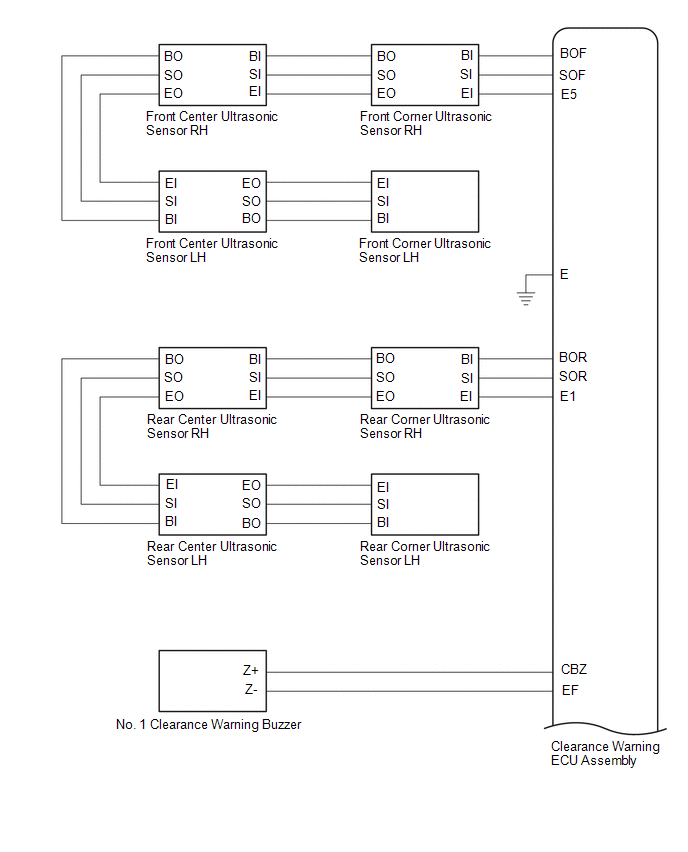
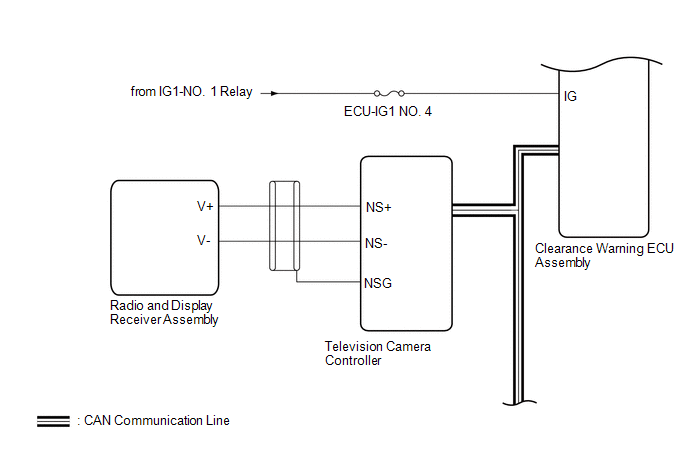
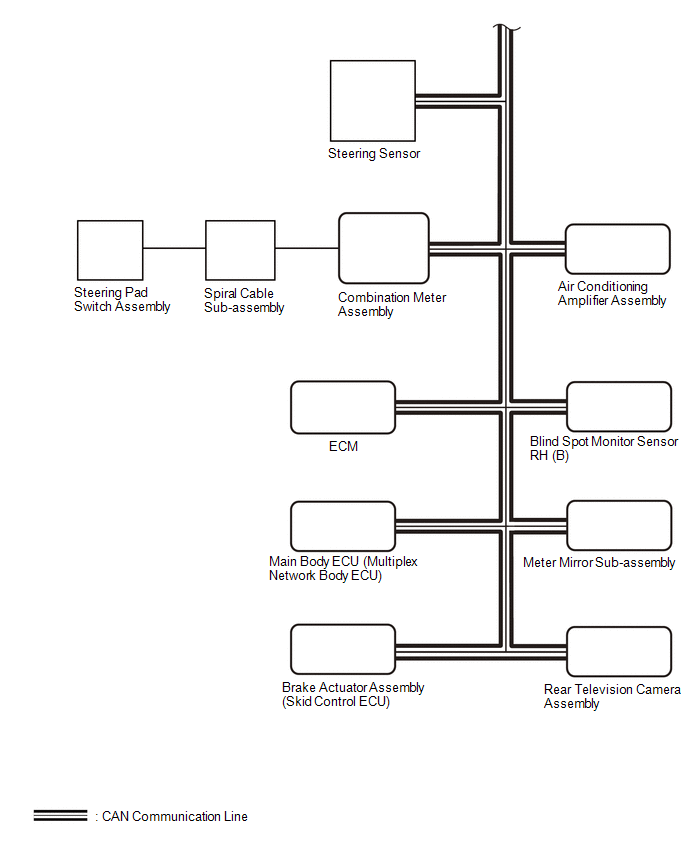
SYSTEM DIAGRAM
READ NEXT:
 How To Proceed With Troubleshooting
CAUTION / NOTICE / HINT
HINT:
Use the following procedure to troubleshoot the intuitive parking assist system.
*: Use the GTS.
PROCEDURE
1. VEHICLE BROUGHT TO WORKSHOP
Customize Parameters
CUSTOMIZE PARAMETERS CUSTOMIZE INTUITIVE PARKING ASSIST SYSTEM
(a) Customizing with the GTS
NOTICE:
When the customer requests a change in a function, first make sure that the function can be
Calibration
CALIBRATION NOTICE: When any of the following parts have been replaced, perform adjustment shown in the following table. If not, the intuitive parking assist system may not operate correctly.
ADJUST
SEE MORE:
Driving Adjustment
DRIVING ADJUSTMENT CAUTION / NOTICE / HINT
CAUTION: Radiofrequency radiation exposure information:
This equipment complies with FCC radiation exposure limits set forth for an uncontrolled environment.
This equipment should be kept with minimum distance of 20 cm (7.87 in.) between the rad
Components
COMPONENTS ILLUSTRATION
*1 AUTOMATIC LIGHT CONTROL SENSOR
*2 DEFROSTER NOZZLE ASSEMBLY
*3 NO. 1 SIDE DEFROSTER NOZZLE DUCT
*4 NO. 2 SIDE DEFROSTER NOZZLE DUCT
© 2023-2026 Copyright www.tocamry.com
